Practical AI, and it actually delivers.
For engineers designing control systems, whether for a manufacturing line, a critical building plant room, or a data centre cooling application, one challenge has remained largely unchanged for decades: converting functional requirements into reliable control logic. Every sequence, interlock, alarm condition, and operating mode must be translated into code, line by line.
The process is labour-intensive, demands platform-specific expertise, and often represents the biggest barrier for new engineers entering the industry. Even experienced programmers spend countless hours producing logic that, while necessary, adds little engineering value. Time spent writing routine code is time not spent commissioning systems, solving operational problems, or delivering the next project.
AI seems like the obvious solution, until engineers try using it.
Ask a general-purpose AI model to generate PLC logic and the results can be inconsistent. The output may be overly generic, fail to follow platform conventions, or simply be unsuitable for the target controller. The problem is rarely the AI itself. More often, success depends on the quality of the prompt.
Obtaining useful results requires detailed technical instructions, correct terminology, structured requirements, and an understanding of how AI systems interpret requests. In other words, engineers must become prompt engineers before they can benefit from AI, introducing a new learning curve to solve an existing one.
Recognising this challenge, Unitronics has taken a different approach.
Its latest AI capability in UniLogic, the programming environment for UniStream PLC and HMI controllers, focuses on eliminating the gap between engineering requirements and effective AI interaction. Rather than asking engineers to start with a blank chat window, UniLogic guides them through a series of application-focused questions covering the intended process, control methods, operating sequences, and required I/O.
The software then combines those responses with information already available within the project, automatically building a comprehensive, structured prompt that can be used with the engineer’s preferred AI platform.
This is not an AI chatbot inside the software. It’s the intelligence that happens before the AI.
That distinction is important.
UniLogic does not attempt to replace ChatGPT, Claude, Gemini, or any other AI platform. Instead, it solves one of the biggest obstacles to successful AI-assisted programming: knowing how to communicate technical requirements clearly and completely.
Engineers remain free to work with the AI tools they already trust. The difference is that they are no longer forced to start from scratch, manually assembling detailed prompts or worrying about whether critical information has been omitted.
The result is a workflow that makes AI more practical, more predictable, and significantly more accessible for everyday engineering tasks.
Three key benefits for engineers
Faster project delivery
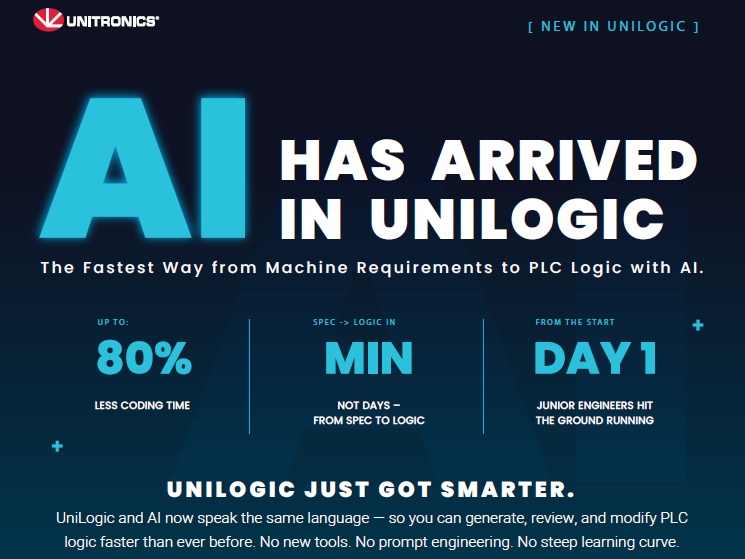
Unitronics reports programming time reductions of up to 80%. Tasks that previously required days of coding and refinement can now move from functional requirements to usable logic in minutes, accelerating project schedules without compromising engineering oversight.
Simpler adoption of AI
Successful use of AI no longer depends on learning complex prompting techniques. Engineers simply describe the application they already understand, while project tags, I/O definitions, and existing system information are incorporated automatically. The workflow becomes an extension of normal engineering practice rather than an entirely new process.
Reduced dependence on individual experience
New engineers can begin producing code that aligns with established platform standards from the outset, dramatically shortening the journey from trainee to productive contributor. At the same time, experienced teams gain greater consistency across projects, helping systems integrators and controls contractors standardise their programming approaches.
PLUS – Engineers remain in control
What this technology does not change is accountability.
AI-generated logic still requires review, testing, validation, and verification before deployment. Safety functions, operational edge cases, commissioning decisions, and system performance remain the responsibility of qualified engineers.
What changes is how engineering time is allocated. Less effort is spent creating an initial draft of routine logic, while more time can be devoted to areas where human expertise delivers the greatest value: system design, troubleshooting, optimisation, and risk management.
In many ways, this reflects the broader direction of the controls and building automation industries. The conversation around AI is increasingly moving away from replacing engineers and toward removing low-value friction from the engineering process. Organisations are looking for ways to reduce reliance on individual experience, improve consistency, and help less experienced staff contribute meaningful work more quickly.
Unitronics’ latest UniLogic capability addresses that challenge directly.
The message is simple: engineers should not need to become prompt engineers to benefit from AI. By transforming engineering requirements into structured, AI-ready instructions, UniLogic makes advanced AI tools more accessible, more effective, and far easier to integrate into real-world PLC development workflows.
The capability is available today within UniLogic, with a free trial of the full platform available for engineers who want to experience the workflow first-hand.
Contact us now to start your AI journey; after all, it is 2026.
Step-by-Step AI Implementation in UniLogic
Phase 1: Define the Use Case
Identify what AI will help with:
PLC logic generation
Code review and optimization
Alarm analysis
Predictive maintenance
Production optimization
Documentation generation
Legacy code conversion
Examples:
Conveyor control system
Packaging machine automation
HVAC control
Water treatment process Just to give you a few examples of areas our controllers are used in.
Phase 2: Install the Latest UniLogic Version
Download and install the latest UniLogic.
Create or open your UniStream project.
Configure PLC hardware, I/O modules, communication settings, and HMI screens.
UniLogic versions with AI features include an AI Prompt Generator Wizard for AI-assisted development.
Phase 3: Build Basic Project Structure
Before using AI:
Configure
Digital Inputs
Digital Outputs
Analog Inputs
Analog Outputs
Tags
Data Tables
Alarms
HMI Screens
Example:
DI0 = Start Push Button
DI1 = Stop Push Button
DO0 = Motor
AI0 = Temperature Sensor
This project context is later used in AI prompt generation.
Phase 4: Use the AI Prompt Generator Wizard
Open:
UniLogic → AI Prompt Generator Wizard
Fill in details such as:
Machine Description
Conveyor system with start, stop, emergency stop,
photoelectric sensor, and motor control.
Control Logic Requirements
Start conveyor when Start button is pressed.
Stop conveyor when the Stop button is pressed.
Stop immediately on Emergency Stop.
Count products using sensor.
I/O Information
DI0 Start
DI1 Stop
DI2 E-Stop
DI3 Sensor
DO0 Motor
The wizard automatically creates a UniLogic-aware AI prompt using project information and tags.
Phase 5: Generate Logic Using AI
Export the generated prompt from UniLogic.
Paste it into:
ChatGPT
Claude
Gemini
The AI creates:
Structured Text (ST)
Functions
Tags
Enums
Program Logic
UniLogic’s AI workflow is designed to produce UniLogic-compatible Structured Text code.
Phase 6: Import Generated Logic
After AI generates the code:
Review the ST code.
Import it into UniLogic.
Verify syntax.
Resolve warnings and TODO items.
Recent UniLogic releases include tools for importing and validating generated ST applications.
Phase 7: Perform AI Code Review
Use AI again for validation.
Prompt example:
Review this Structured Text code.
Check for:
- Safety issues
- Race conditions
- Logic errors
- PLC scan cycle problems
- Best practices
UniLogic supports AI-assisted code review workflows.
Phase 8: Generate Documentation
Use AI to create:
Functional descriptions
I/O lists
Alarm documentation
Maintenance procedures
Operator manuals
Example:
Generate a maintenance guide
for this conveyor PLC program.
UniLogic includes AI-assisted comment and documentation generation capabilities.
Phase 9: Add Predictive Maintenance AI
For operational AI:
Collect Data
Store:
Motor Current
Temperature
Vibration
Run Hours
Cycle Counts
Send Data
Using:
MQTT
OPC UA
SQL
REST APIs
Cloud platforms
UniLogic supports industrial communication and IIoT integrations that can provide data to external AI systems.
AI Analysis
Use AI models to predict:
Bearing failure
Motor overheating
Abnormal energy consumption
Unexpected downtime
Phase 10: Connect AI to Live Production
Architecture example:
Sensors
↓
UniStream PLC
↓
MQTT / OPC UA
↓
Cloud Database
↓
AI Model
↓
Prediction
↓
PLC Alert
↓
HMI Display
The PLC remains responsible for real-time control, while AI provides recommendations and predictive insights.
Phase 11: Create AI-Powered HMI Dashboards
Display:
Equipment health score
Remaining useful life
Fault predictions
Energy consumption trends
Maintenance recommendations
Example HMI screen:
Machine Health: 92%
Motor Bearing:
Predicted Failure:
34 Days
Recommended Action:
Schedule maintenance
Phase 12: Validate and Deploy
Before production:
Test
Simulation
Forced I/O testing
Alarm testing
Safety logic verification
Deployment
Download project to PLC.
Monitor online.
Compare AI recommendations with actual operation.
Continuously improve models.
Recommended AI Maturity Roadmap
Level 1
AI-generated PLC code
Level 2
AI code review and documentation
Level 3
AI alarm analysis
Level 4
Predictive maintenance
Level 5
Autonomous optimisation and decision support
This staged approach typically delivers the fastest return on investment while maintaining PLC safety and reliability.