Description
Build your PLC system the way you want it and have the IO mounted on the back of the HMI or din rail mounted. Choosing exactly which IO you need avoids excess IO you don’t need and allows you to reduce costs and increase installation flexibility. No complicated configurations or IO calculations just choose what you need for your project and expand further by mounting IO directly to the PLC CPU on the back of the HMI. Follow the simple configuration guide below to select the PLC that is right for you or give us a call or email and we are happy to help configure the best solution with you.
Simple Configuration to suit your application
- Select your HMI touch panel – 7″, 10.4″or 15.6″
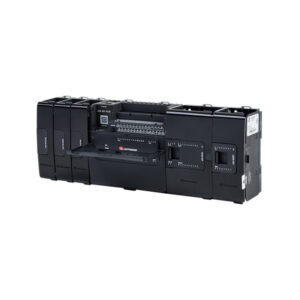
- Add your CPU – Attaches to the back of the HMI panel USC-P-B10
- Choose which IO/Com modules you require for your application – attach them directly to the CPU
- Download and install the intuitive easy to use UniLogic Programming Software to seamlessly program your HMI and PLC at the same time in the same environment.
- You will then have a compact control solution complete with an easy to program HMI and PLC tailored to suit your specific requirements.
- This control solution can then be expanded as you see fit, a single UniStream CPU supports 80 modules with up to 2,048 onboard, local & remote Inputs & Outputs.
- All Modular UniStream PLC’s require a USC-P-B10 CPU attached in order to function
Plus options for OEM unbranded versions and with Unicloud built-in
USP-104-B10 this product
USP-104-B10-N OEM Un-Branded version
USP-104-C10 with Unicloud built in